
Featured on the Chrome Web Store 100% local
The bookmark manager Chrome extension that cleans up what the years left behind
Bookmark Maestro finds the duplicate bookmarks, broken links, empty folders and tracking junk buried in the Chrome bookmarks you already have — no migration, no new app to move into. Every diagnosis is free, no account needed, and it all runs locally: your bookmarks never leave your browser.
Free to install · every diagnosis free · undo included
- Bookmarks, still smooth
- 20,000+the table virtualizes — you scroll, never paginate
- Doctor checks
- 5duplicates, similar, dead links, empty folders, tracking
- Tracking params known
- 40+utm, fbclid, gclid and the rest, struck through first
- Bookmarks uploaded
- 0every scan, score and export runs on your device
Diagnosis is free. For your whole library.
Five checks over every bookmark you own, signed out, no account — and fixing what they find one by one is free too. Pro is the one-click cleanup, undo included.
Duplicated bookmarks14
The same page saved more than once. Clean All picks the survivor by a stated rule — and prints the reason on the row.
Similar bookmarks2
Near-duplicates that differ only by a title or a trailing slash.
Dead links7
Real HTTP checks, run as a background job. Redirects are flagged separately, so you never delete a link that still works.
Empty folders3
Folders holding nothing — including ones that only hold other empty folders.
Tracking parameters13
utm_source, fbclid, gclid and 40+ more, struck through in a preview before anything changes. Signed links are skipped.
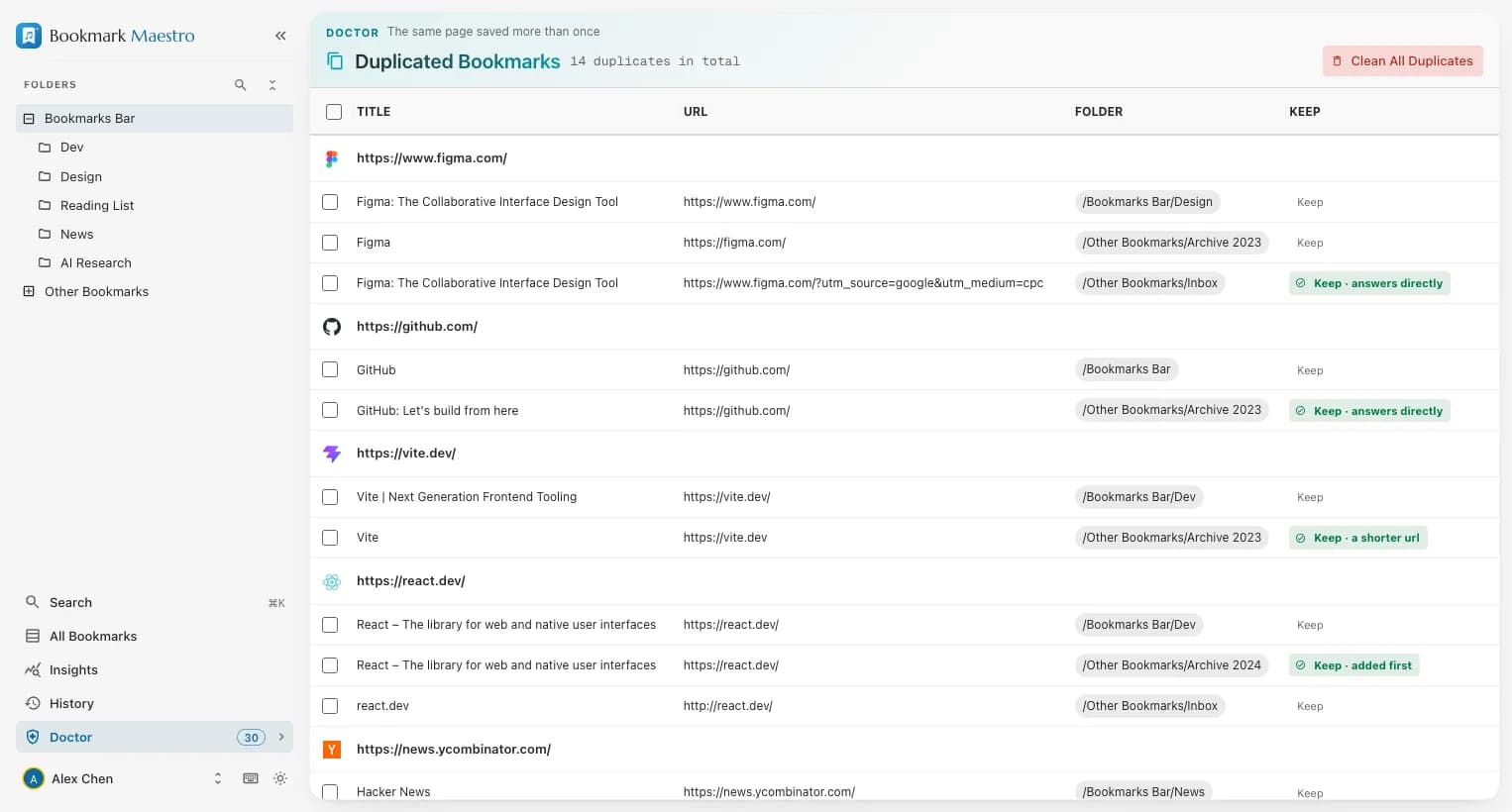
URL cleaners clean the page you're on. The Doctor cleans the links you saved years ago — and once the tracking junk is gone, the duplicate finder catches every copy that only differed by ?utm_source=.
Delete boldly. Everything comes back for 30 days.
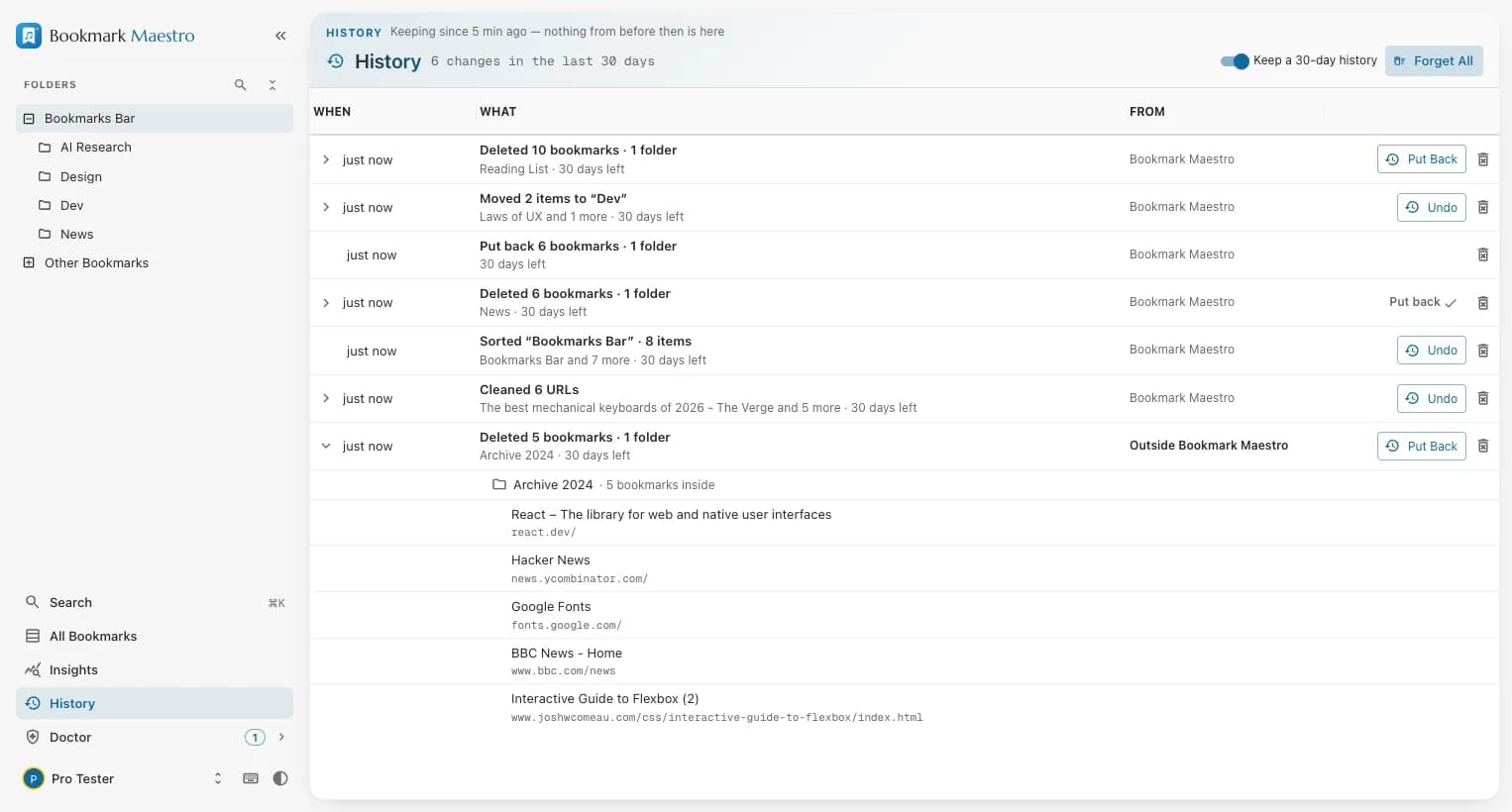
Chrome has no recycle bin for bookmarks. Bookmark Maestro does: every deletion made in this browser is kept for up to 30 days and can be put back where it was — free, on your device.
From anywhere
Delete in Chrome's own bookmark manager, or let another extension do it, and it still lands in History — the extension listens to Chrome, not just to itself.
Back where it was
Put back rebuilds a folder with its structure, its order and its position among its neighbours. Edits, moves, sorts, URL cleans and imports made here each get an Undo of their own.
Not a backup
It lives in the same Chrome profile, it holds only deletions made after it was installed, and edits made in Chrome itself are not recorded. An exported file is still the copy you own.
Chrome gives you a list. This is a workbench.
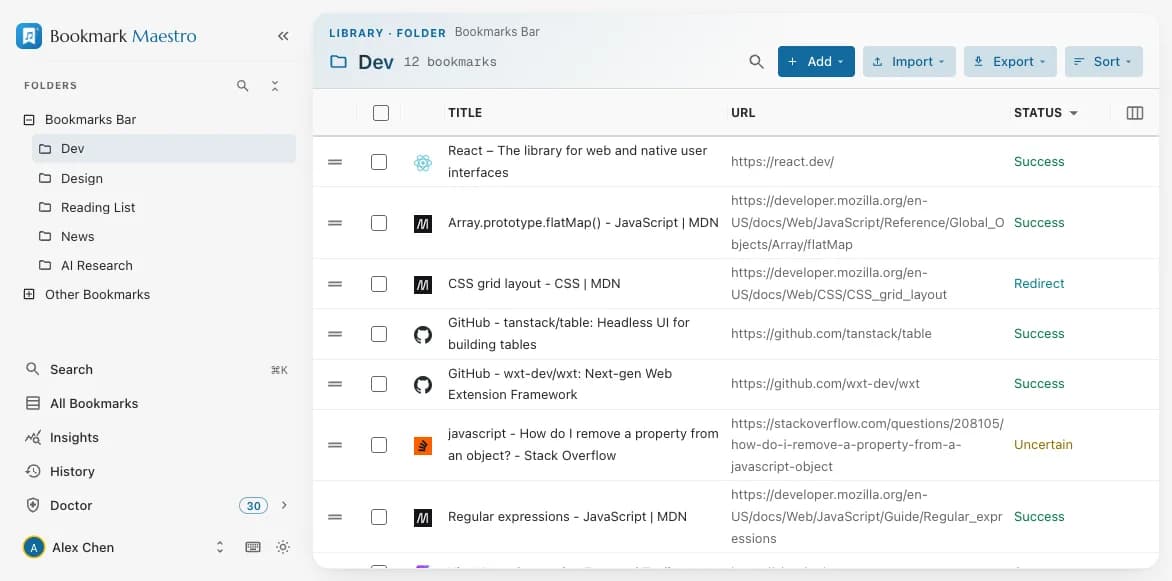
The manager opens over your native bookmarks — no import step, nothing to migrate — and stays smooth past twenty thousand of them.
Two views of everything
Browse the folder tree, or flatten every folder into one searchable table with the full path kept beside each bookmark. Drag, drop, rename and reorganize in place.
Batch, not one by onepro
Select dozens of bookmarks and move, delete or open them at once. Pro adds batch renaming with pattern matching and a live preview of every change.
Export without lock-inpro
Five formats — browser-importable HTML, JSON, CSV, Markdown, plain URLs. Everything, one folder, or only the bookmarks you hand-pick. Exporting fetches nothing.
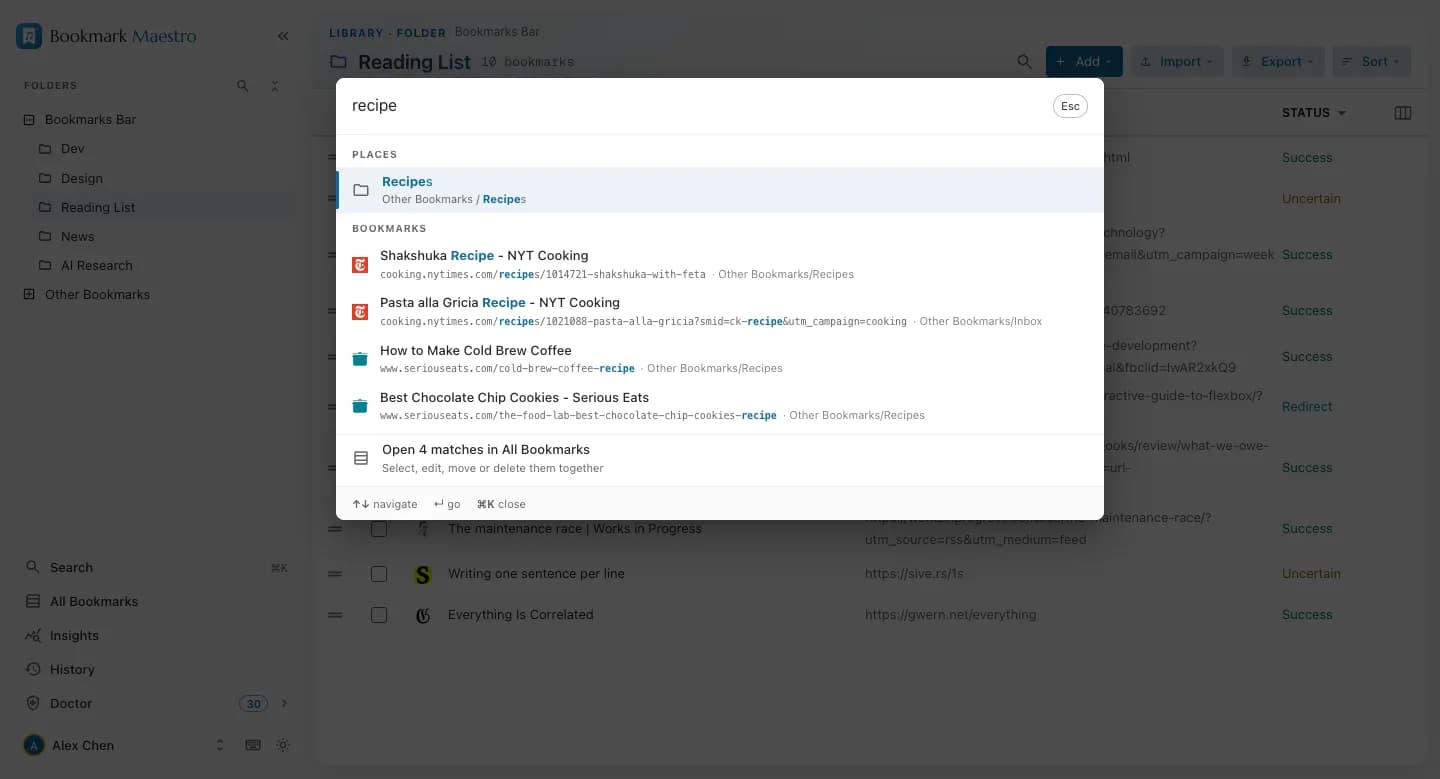
Press ⌘K anywhere
One matcher answers every search box in the product, so every surface agrees on what matches.
- ⌘K in the manager opens a command palette over folders, views and every bookmark — each result marks the words that matched.
- Alt+B on any web page opens the popup with the caret already in the search box — your library answers without you leaving the page.
- ↵ opens a result in a new tab, ⌘↵ in the current one. The page you were reading survives being searched from.
- And Chrome's native side panel keeps the whole library open next to whatever you're working on.
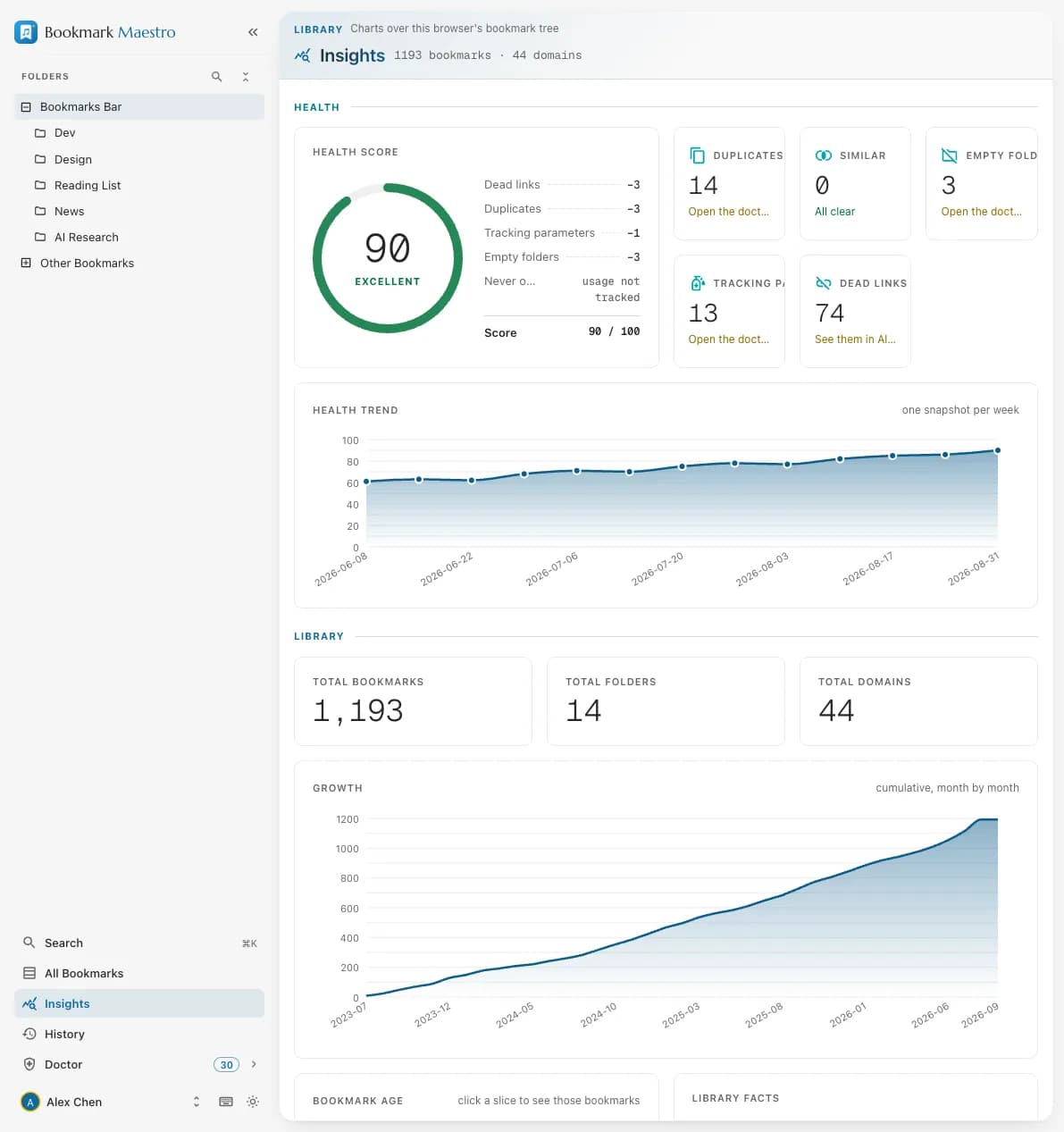
Your library, measured.
A health score for the whole collection, computed on your device — with the growth timeline, top domains, bookmark age and protocol breakdown behind it.
- Every chart clicks through to the matching bookmarks, so a number you don't like is one click from the rows that caused it.
- One snapshot a week — come back and the score becomes a trend line.
- The whole dashboard is free, exports included: a share card as PNG, domains as CSV, everything as JSON.
“100% local” is not a slogan here. It's a test that has to pass.
Your bookmarks are read through Chrome's own bookmarks API, and every scan, score and export happens on your device. Our test suite pins the extension's network calls to an allowlist — if a new one appears, the build fails.
No account to start
Browse, search, and run every diagnosis signed out. An account exists for one reason: carrying a Pro subscription.
No migration
It operates on the native Chrome bookmarks you already have. Nothing to import, no second library to abandon later.
Nothing phones home
Exactly two things ever touch the network: the dead-link checks you start, and your own sign-in. Both are yours to trigger.
Free where you live. Pro where it saves you an afternoon.
The split is simple: looking and fixing by hand are free; the one-click cleanup is Pro.
Free
$0
- Folder view and the all-bookmarks table
- ⌘K search everywhere, and the side panel
- Batch move, delete and open
- The whole Insights dashboard, exports included
- Every Doctor diagnosis, no account needed
- Fixing what the Doctor finds, one by one
- History: 30 days to put back any deletion
Pro
$29.99once — or $1.99/mo
- One-click cleanup of everything the Doctor finds — undo included
- Batch renaming with pattern matching
- Import and export in five formats
- Link health testing over your whole library
14-day free trial · 14-day refund · most people pick lifetime
Compare all plansThe mess took years. The cleanup takes minutes.
Install the extension, open the Doctor, and see what a decade of saving actually left behind — the looking costs nothing.
Works on the bookmarks you already have · nothing uploaded